
PROJECT

Construction & Home Building
CATEGORY
TOOLS

Designer
Bharath Kumar

What is BuildEase?
BuildEase is essentially the “GPS for
homebuilding” — guiding users
through a complex, high-stakes
journey with confidence and clarity.
Project Timeline
The timeline is structured into phases, with each phase highlighting the tasks involved,
their duration, and the outcomes.
3-4 Weeks
Research
2-3 Weeks
2-3 Weeks
Discovery
Solution
User research
Competitive analysis
Journey mapping
Site map
User flow
Low-Fidelity
Mid-Fidelity
High-Fidelity mockups
Design system
Interactive prototype
Micro-Interactions
Interactive prototype
Test With Users

The UI/UX design process for BuildEase is meticulously crafted to create an intuitive and
engaging platform for certainty into chos: A Human-Centered Approach To Homebuilding.
Design Process
Problem Statement
The homebuilding process today is defined by a fragmented digital ecosystem, disjointed communication across stakeholders, unpredictable budgeting, and the absence of real-time data visibility — resulting in systemic inefficiencies, decision fatigue, and a growing trust deficit that undermines both user experience and project success.
Solution
Unified Ecosystem
A single, intelligent platform that seamlessly integrates design, budgeting, project management, and collaboration.
AI-Driven Design & Predictive Budgeting
Smart tools that personalize designs, forecast costs, and help homeowners make confident, data-backed decisions.
Trusted Network & Real-Time Collaboration
A verified ecosystem of professionals with live communication tools that ensure transparency, trust, and timely execution.
We Don’t Just Serve Users. We Empower Builders of Possibility. In a fragmented industry crying out for cohesion, BuildEase is more than a platform.
It’s a co-pilot for courage, a translator of complexity, and a canvas for visionaries.
We’ve mapped our audiences not by roles, but by human truth — the inner story each user brings to the building process.
TARGET AUDIENCE
Each one is a protagonist.
Each one is building something far bigger than a home.
And BuildEase is their invisible guide.

The Visionary Homeowner — The Dream Architect
Unspoken Fear: “What if I make a mistake I can’t afford?”
“This house is a chapter of my life. I just need the confidence to build it.”

The Self-Reliant Builder — The Modern Craftsman
Unspoken Fear: “I’ll miss a critical detail that costs me time or money.”
“I’ve got grit and tools. I just need a system that respects both.”

The Builder of Trust — The Contractor Commander
Unspoken Fear: “One bad miscommunication could destroy trust.”
“I don’t need more noise. I need less friction and more flow.”

The Spatial Visionary — The Storytelling Architect
Unspoken Fear: “My vision will get lost in translation.”
“Every line I draw carries emotion, form, and function.”

The Strategic Orchestrator — The Project Alchemist
Unspoken Fear: “One blind spot could unravel everything.”
“My job is to anticipate what others overlook — and still stay ahead.”
The Supply Catalyst — The Trusted Ecosystem Partner
Unspoken Fear: “We’re treated like a vendor — not a value-creator.”
“I want less transaction. More transformation.”
No platform solved everything - especially not with empathy for non-experts.
Competitive analysis
It involves evaluating the strengths, weakness, features, and design strengths of competitors to identify market trends, user expectations, and opportunities for differentiation.

Platform
Gap Identified
Houzz
Sketchup
Builder Trend
No Budgeting Tools
Too Complex For
Average Users
Focused On Pros,
Not On Homeowners
ANALYSIS
User Survey Highlights
68%
Users who feel overwhelmed by the building process.
Quantitative analysis
It involves gathering measurable data through methods like surveys, analytics and A/B testing
to understand user behaviours, preferences and patterns.
74%
Users managing home builds with 3+ different tools
Users who find budgeting "very stressful"
81%
Users who prefer visual tools over spreadsheets
59%
Insight: There’s a high demand for centralized, visual, and guided workflows.
Online survey via construction forums and early landing page
User Survey Highlights
Remote moderated testing (20 sessions)
Create room layout in 3D design tool
Add material and review cost impact
95%
85%
Find & message a contractor
85%
Task |
|---|
Success Rate |
|---|
Result |
|---|
|
|---|
Drag-and-drop & visual cost tools performed well; cost indicators and contractor filters needed UI refinements.

Marcus Lee – DIY Builder
"I want to build my dream home, but it feels like I'm stepping into a world I don't understand."
Build her first custom home within budget.
Goals
Marketing Manager
Preetham-First Time Homeowner
User Persona
This include details like demographics, goals, behaviors and pain points, helping designers create user-centered solutions by keeping real user needs in focus throughout the design process.
32
Suburban Texas
Moderate (frequent app user, but not tech-deep).
Frustration
Feel confident in making design and contractor
decisions.
Overwhelmed by construction jargon.
Fear of hidden costs and budget overruns.
"I can handle the tools — what I need is a system to manage the chaos."
Goals
Engineer (Mechanical)
Tech Savviness: High
Frustration
Personally manage and participate in building his home.
Struggles coordinating between materials, designs, and city permits.
Lacks visibility into project scheduling and resource allocation.
40
Denver, Colorado
Save costs by doing portions of the work himself.

The final product structure was informed by a structured ideation process, which we
integrated into the Information Architecture itself. Below is a map showing how insights
and ideas directly shaped the navigation and feature hierarchy of BuildEase.
Information
Architecture

The process of organizing and structuring content in
a way that ensures users can easily find and navigate information.
Ideation Workshop
Sign Up
User Flow
Onboarding Screens
This user flow illustrates the end-to-end journey of a user navigating BuildEase—from onboarding through designing, budgeting, coordinating contractors, and completing their home construction project.
Log In
Forgot Password
Home
Existing Project
View Progress
Modify
New Project
Project Type
Budget And Style
Site Location Input
AI Design Assistant
3D Design Studio
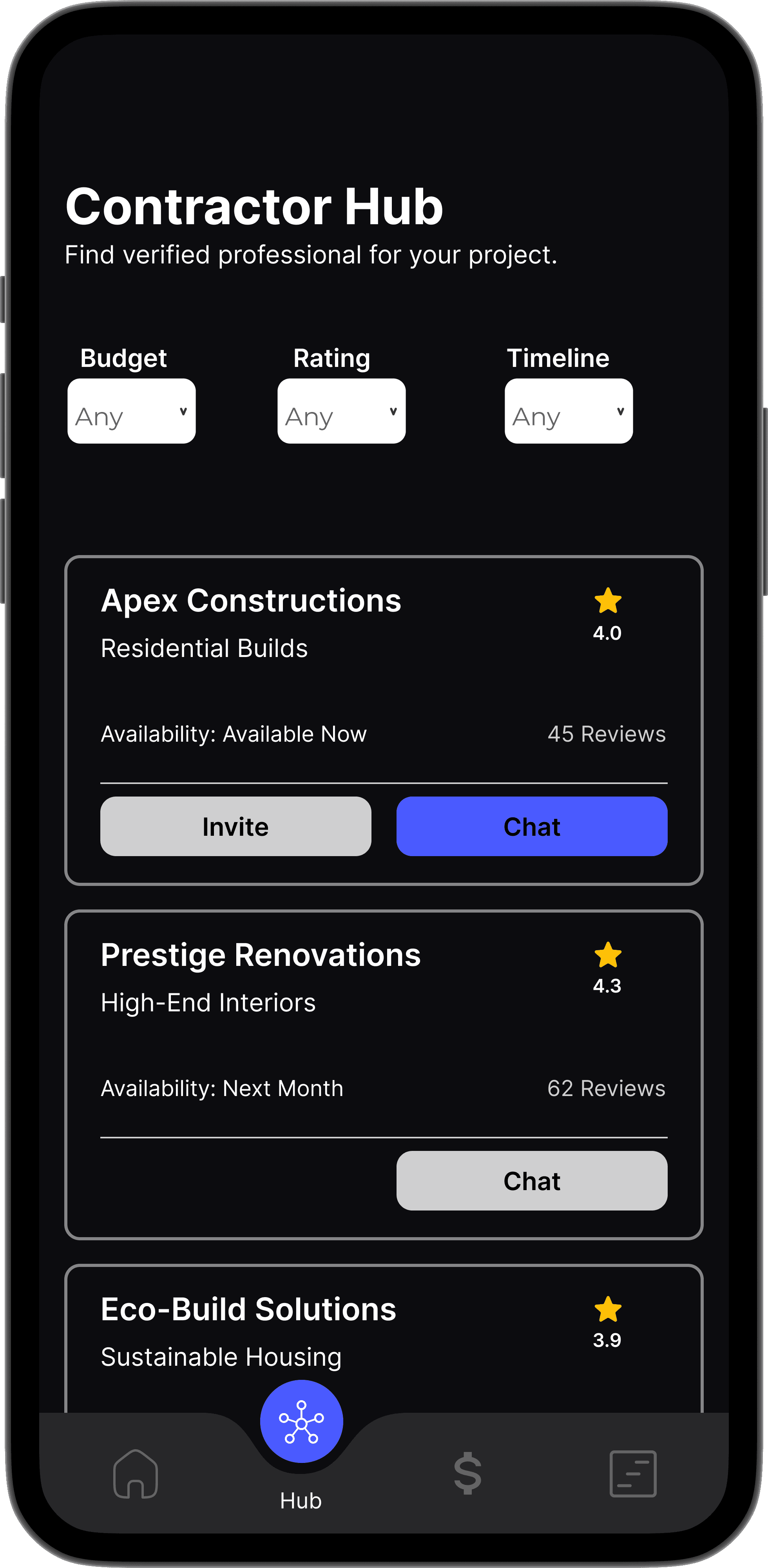
Contractor Hub
Budget Tracker
Budget Tracker
Construction Timeline
Notifications & Collaboration
Final Phase
Post Project
SAYS
THINKS
DOES
THINKS
“I want to build my dream home, but it feels like I’m
stepping into a world I don’t understand.”
“I wish someone could walk me through this process.”
“I don’t want to go over budget.”
“There’s so much to coordinate —where do I even start?”
“Am I missing something important?”
“What if a contractor overcharges me?”
“I want to make smart decisions, but I don’t speak
construction.”
“I need to feel in control, not confused.”
Spends hours browsing Pinterest and YouTube
for inspiration.
Uses Google Sheets to manually track costs.
Reads online reviews but struggles to evaluate
contractors.
Asks friends/family for advice or referrals.
Avoids making decisions due to fear of making
costly mistakes.
Overwhelmed by jargon and decisions.
Stressed about unexpected expenses.
Anxious about contractor trust and timelines.
Hopeful when she finds clear, visual tools.
Empowered when she understands what’s next.
Empathy Mapping
It's a collaborative tool used to under stand what users think, feel, say and do.

Wire Framing
Design low-fidelity wireframes for the BuildEase
mobile app focused on user flow, layout, and feature hierarchy.
Prioritize clarity and intuitive navigation for first-time homeowners
and contractors.
Mid-Fidelity
The mid-fidelity wireframes for BuildEase outline core user flows with clean layouts and functional structure, setting the foundation for high-fidelity design.

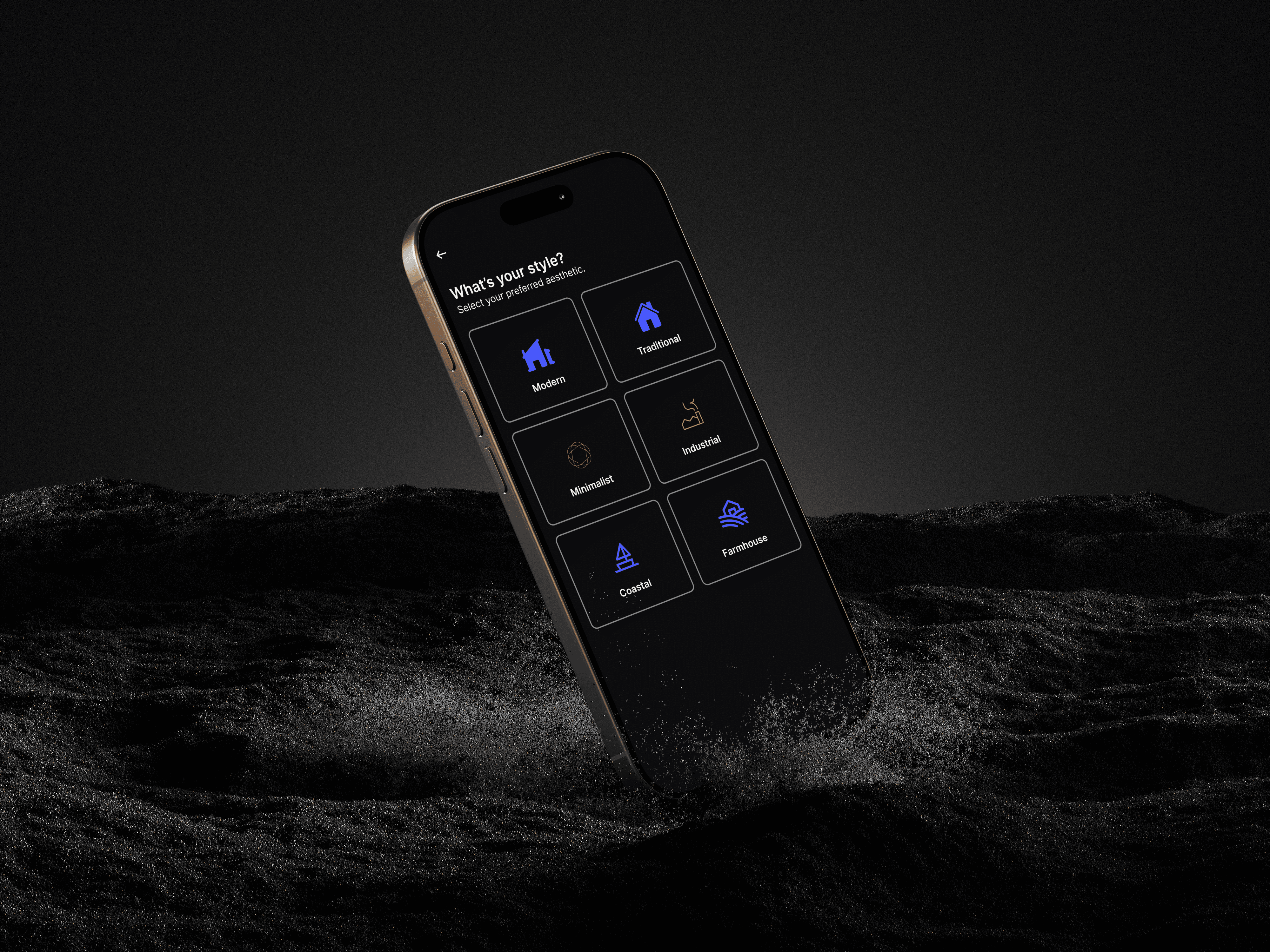
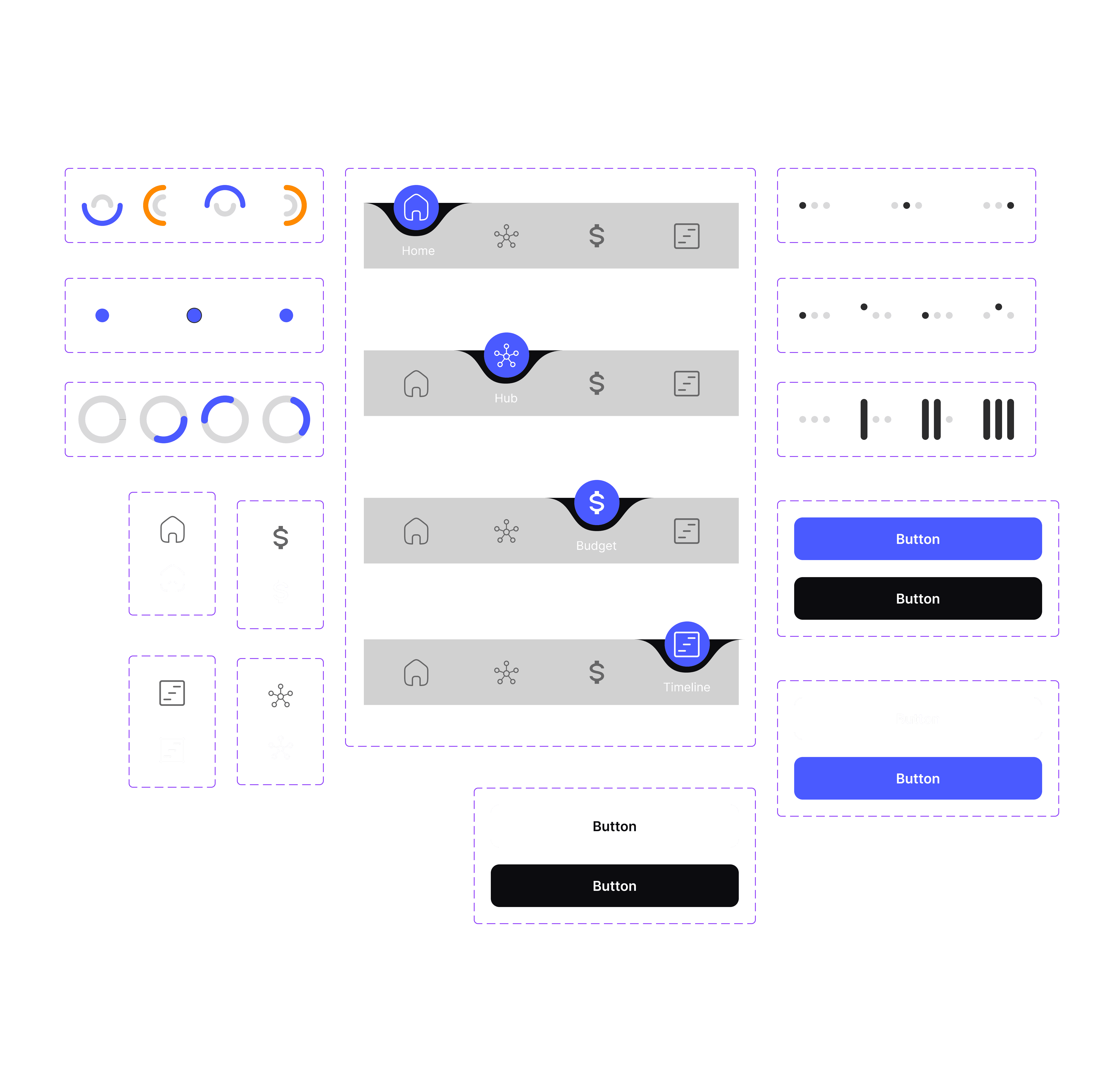
style Overview
Regular X Medium X semi Bold X Bold

Visual Design
It enhances the user experience by plan with
functionality, ensuring users enjoy a seamless and visually appealing booking process.
Inter
12pt
16pt
20pt
24pt
32pt
Primary Blue
Accent/Orange
Background/Dark
Text/Primary
Text/Secondary
Typography & Colors
Design System
High-Fidelity
Represent the polished and interactive version of the app, complete with detailed visuals, refined typography, and realistic elements.
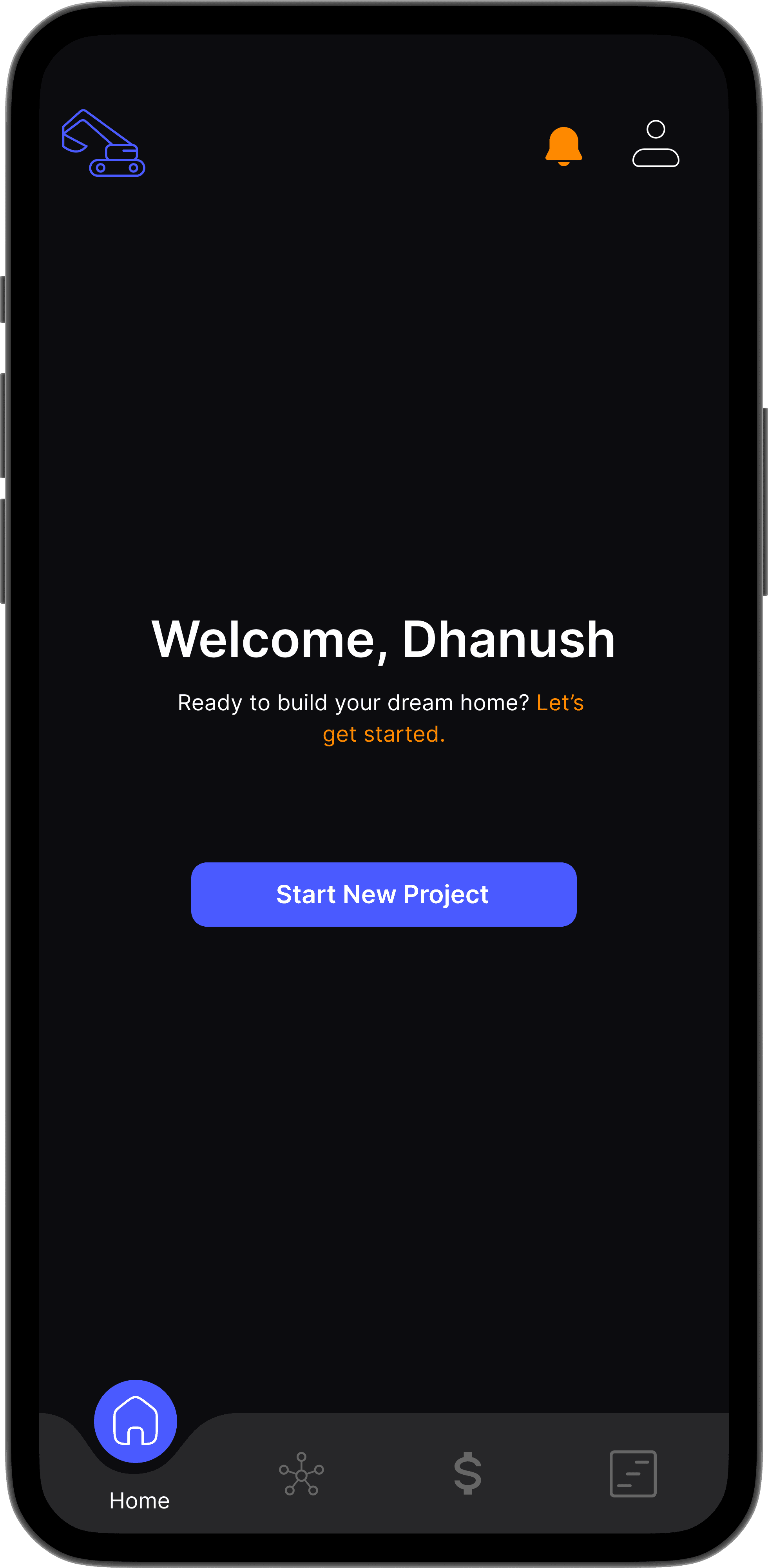
Home Screen
It serves as the central hub, offering real-time access to project progress, budget tracking, quick actions, and seamless navigation across core features.
Flow
Project Creating
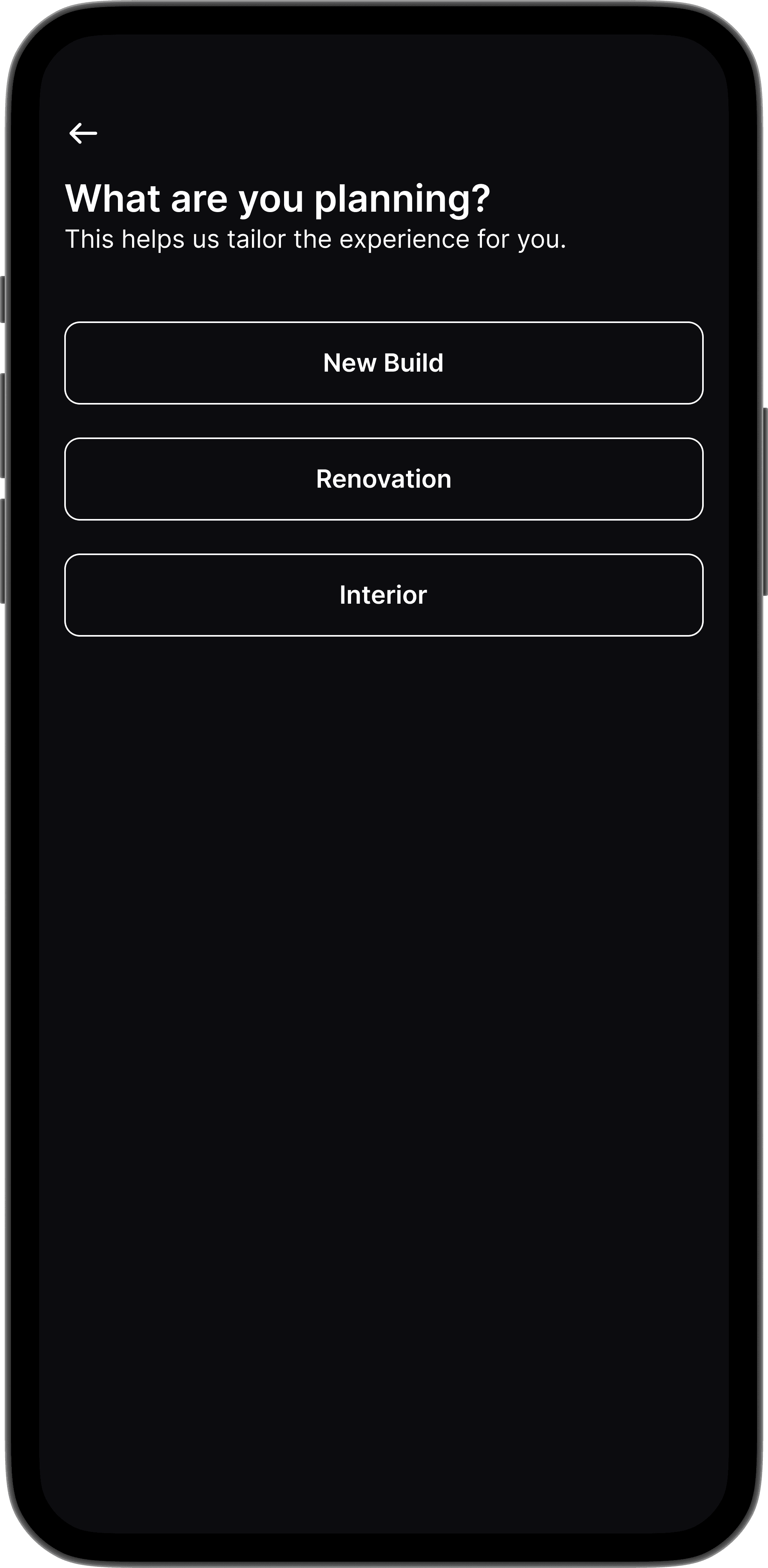
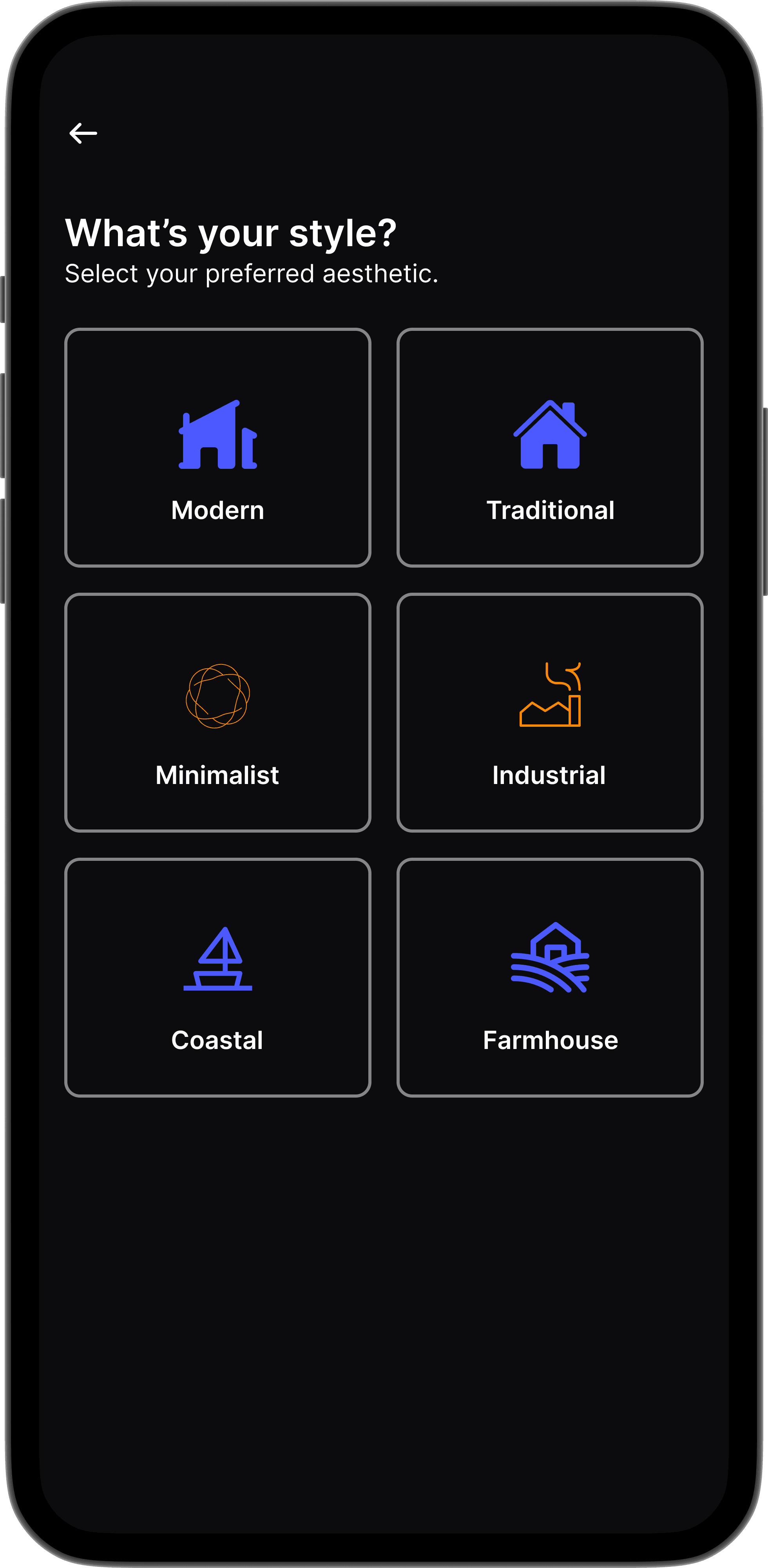
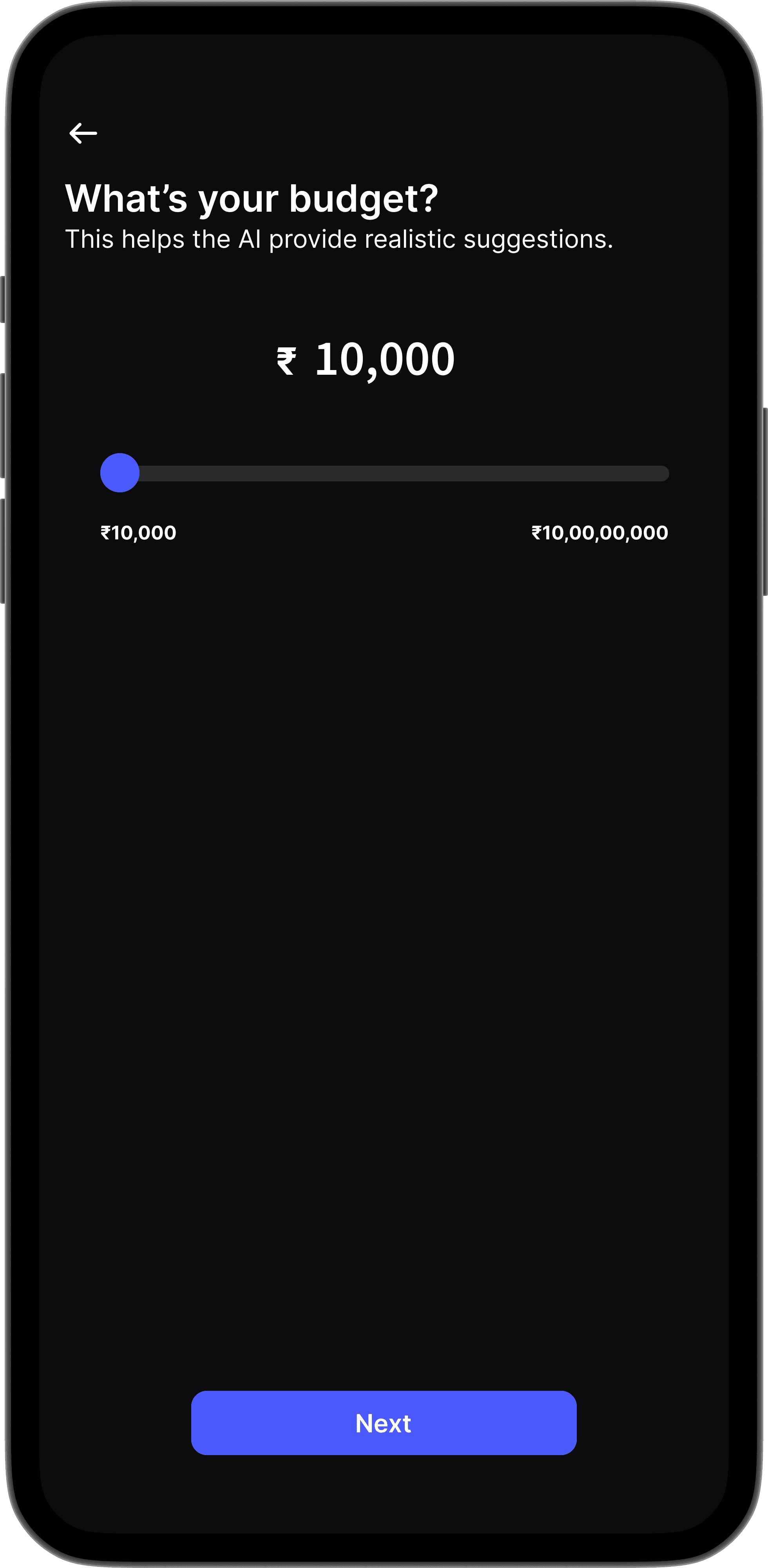
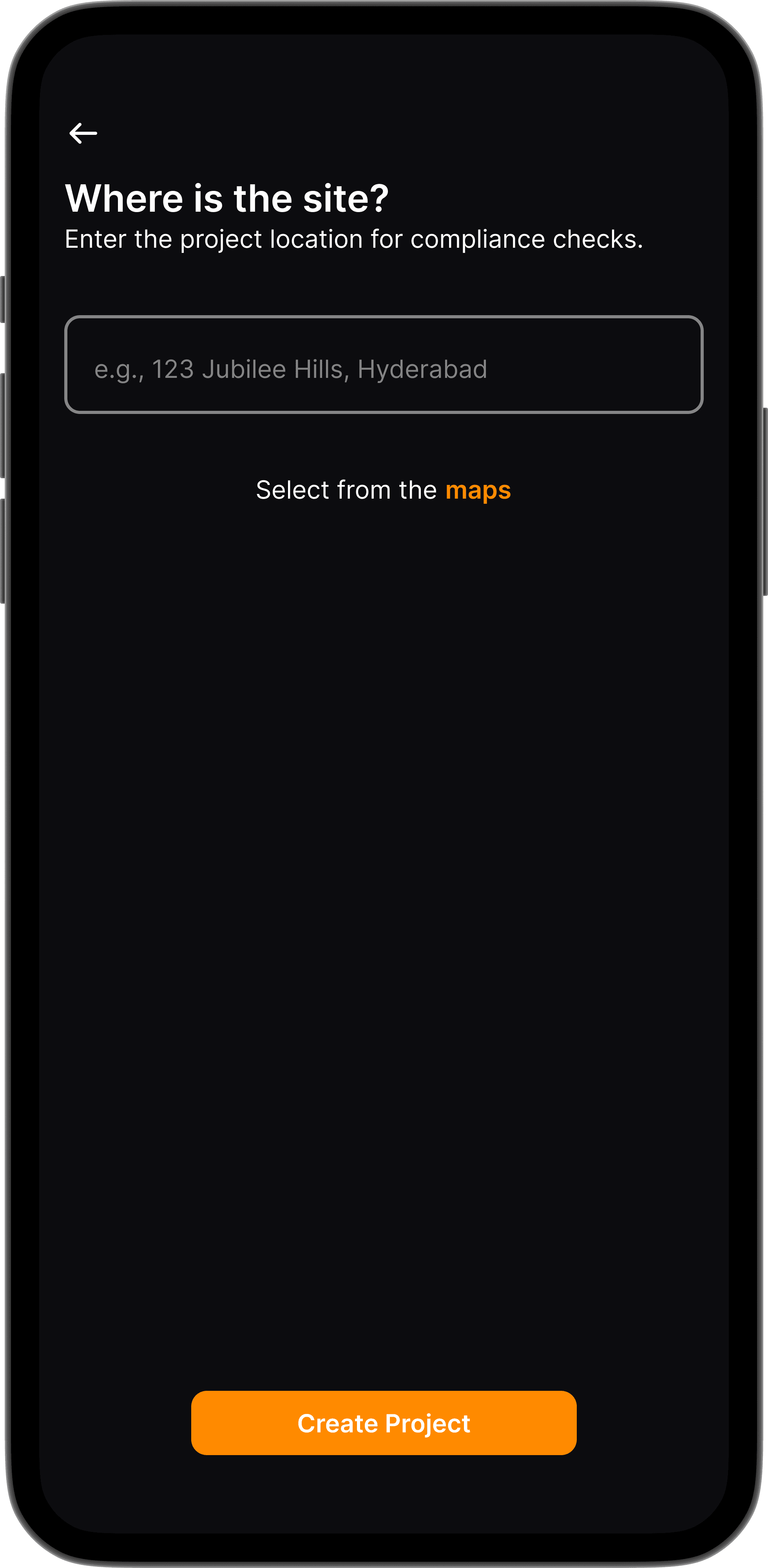
Represent the polished and interactive version of the app, complete with detailed visuals, refined typography, and realistic elements.
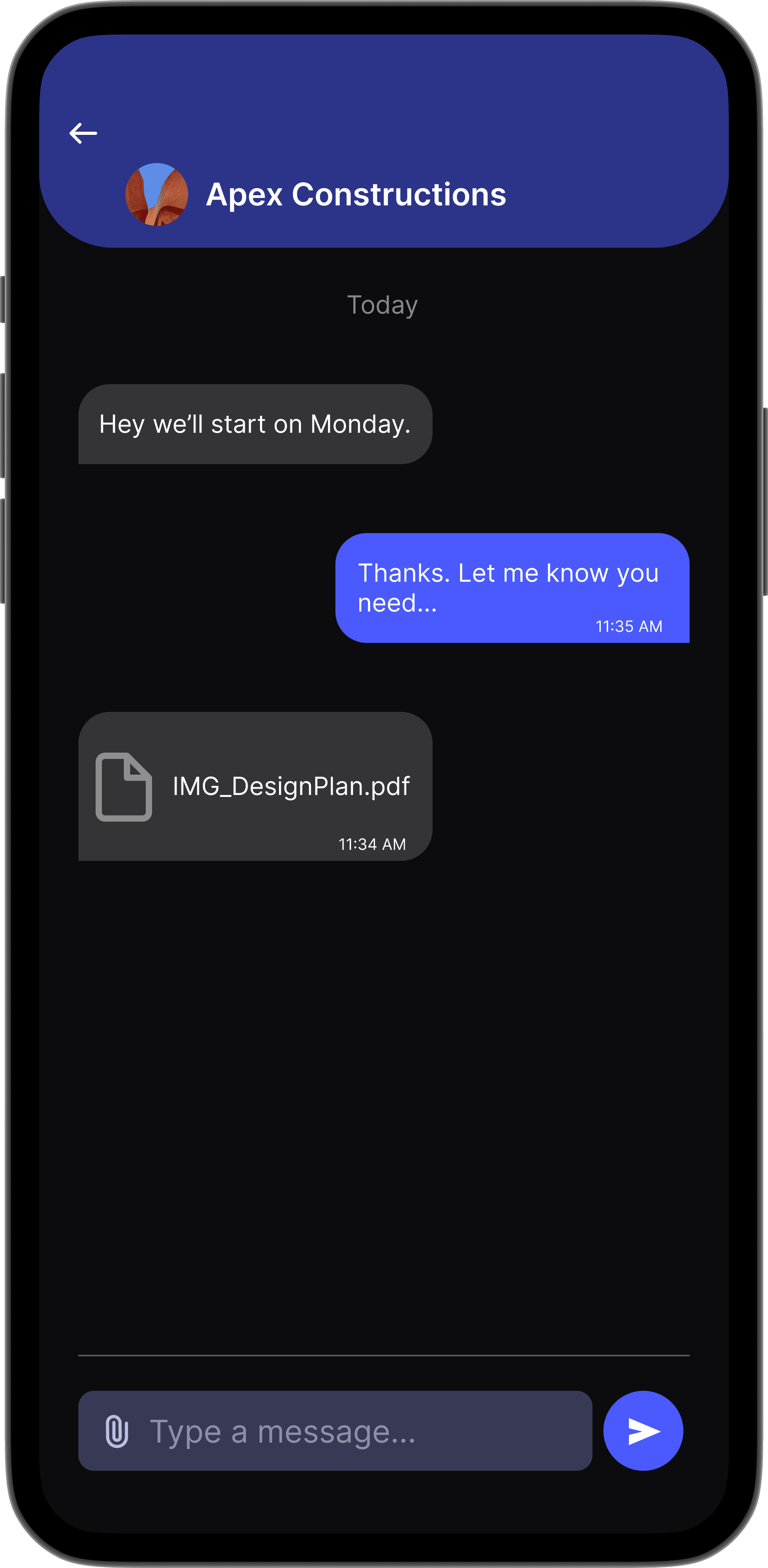
Contractor Collaboration
A task-focused workspace where users can assign jobs, chat in real time, and coordinate effortlessly with contractors throughout the project.

Visual Design
It enhances the user experience by plan with
functionality, ensuring users enjoy a seamless and visually appealing booking process.

Prototyping
Prototyping transformed BuildEase from static screens into an interactive, testable experience — aligning vision with user reality.
Usability Testing for AI Design Assistant
Usability Testing was conducted using
Figma app
Responses
# Of Blocks
32
4
#1
Mission Over view
🧭
8.0%
Drop-off
Usability Testing for Smart Budget Tracker
#2
Mission Over view
🏆
88%
Success Rate
Usability Testing for AI Design Assistant
#3
Mission Over view
🏆
85%
Success Rate
Usability Testing for AI Design Assistant
#4
Mission Over view
🏆
79%
Success Rate
🧭
12.5%
Drop-off
🧭
14.0%
Drop-off
🧭
18.0%
Drop-off
🏆
92%
Success Rate

Usability Testing
Each test was conducted using a Figma prototype with 5 participants, aiming to validate real user flows and interaction clarity.
❌
19.5%
Misclick Rate
❌
21.3%
Misclick Rate
❌
25.6%
Misclick Rate
❌
28.2%
Misclick Rate

Thank you for taking the time to explore the BuildEase journey.Your interest and support mean a lot.
If the vision of simplifying home building resonates with you,feel free to connect, appreciate, or share feedback!
Let’s connect
bharathkumard9959@gmail.com

What are the improvments after testing

Improved visibility of the "Get AI Suggestions" button and added a guided stepper flow after floor plan upload, helping users better understand next steps.
Testing with real users helped refine every core feature of BuildEase — from how
we present data to how we guide decisions.
Introduced an “Assign Task” button and task status indicators, allowing users to clearly track project roles and actions within the chat screen.
Enhanced slider interaction by adding ₹ value markers and tooltips; included real-time total updates to increase budget transparency and control.
Thank you for scrolling through
42,731 pixels
of building dreams with BuildEase